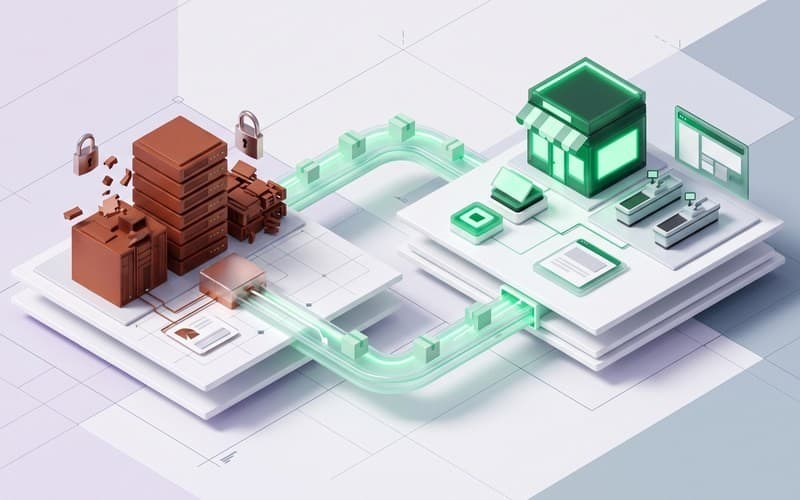
This illustrative case study explores how Canvas Developers engineers a resilient TradingView integration NinjaTrader bridge for quantitative futures trading desks. In systematic trading operations where strategy research occurs on cloud charts while execution mandates require broker-approved desktop terminals, bridging these platforms deterministically mitigates manual order entry risks and execution drag.
Executive Summary: How Does a Cloud-to-Desktop Futures Execution Bridge Work?
A proprietary futures trading desk generating quantitative alpha signals in Pine Script requires direct market routing into NinjaTrader. When a chart alert triggers, an outbound JSON payload routes to an intermediary service over HTTPS. The engine validates and serializes the message into native NinjaTrader Automated Trading Interface (ATI) commands, dispatched over a persistent local TCP socket to the execution machine.
This TradingView to NinjaTrader automated execution architecture enables the desk to route CME futures contracts instantly, attaching server-side bracket protection without sacrificing their broker's clearing infrastructure. The dedicated TradingView integration NinjaTrader bridge ensures deterministic signal delivery while preserving margin agreements.
The Desk Challenge: Why Bridge Cloud-Based TradingView Strategies into NinjaTrader?
Systematic trading desks frequently face an architectural divide between strategy research and market connectivity. Modern quantitative teams leverage TradingView for its flexible cloud charting, rapid indicator prototyping, and shared Pine Script collaboration across distributed analysts. However, futures clearing merchants (FCMs) and clearing brokers often require order entry through established desktop execution platforms like NinjaTrader to meet margin risk controls and direct routing compliance.
In a manual trading workflow, traders monitor Pine Script alerts on one screen while manually retyping contract quantities and limit prices into NinjaTrader order tickets on another. This disconnected process introduces operational friction, execution lag, and cognitive fatigue during fast-moving market regimes. Implementing a dedicated futures trading TradingView integration enables quantitative teams to run Pine Script NinjaTrader automated trading seamlessly without dual-entry friction.
What Was at Stake: What Are the Operational Risks of Manual Execution Mismatches?
In high-volatility futures markets—such as CME E-mini S&P 500, Nasdaq-100, or crude oil contracts—seconds matter. A manual re-entry delay of even three seconds can result in adverse price slippage during macroeconomic data releases or volatility spikes.
Beyond execution drag, the primary risk of disconnected trading systems is catastrophic execution error. When an operator manually transcribes an alert, stress can cause quantity errors, reversed order directions, or omitted stop-loss orders. A filled contract without an attached protective stop leaves an account exposed to severe downside, commonly called a naked fill. Additionally, if an automated strategy triggers an exit while the operator is away, accounts become desynchronized. A robust CME futures TradingView integration systematically mitigates these operational vulnerabilities by enforcing atomic order placement through an automated TradingView integration NinjaTrader bridge.
The Engineering Approach: How Do You Route Webhooks to the NinjaTrader ATI?
The engineering solution centers on a hardened intermediary service bridging cloud events to local execution software. As outlined in the TradingView webhook alerts documentation, TradingView delivers HTTP POST requests containing JSON payloads over ports 80 or 443, enforcing a three-second response timeout.
We constructed an edge listener with signature authentication and IP allowlisting to ingest and verify incoming alerts. When a Pine Script signal fires, the listener unpacks the structured JSON payload, extracting the target instrument, action, quantity, order type, and unique signal identifier.
The service translates this validated event into native NinjaTrader Automated Trading Interface (ATI) commands. Rather than using file-based instruction queues, the bridge establishes a persistent TCP socket connection directly to NinjaTrader's ATI port. This TradingView webhook to NinjaTrader ATI pipeline converts strategy alerts into atomic execution instructions, achieving low-latency TradingView to NinjaTrader automated execution with full payload validation.
Technical Implementation: How Are Bracket Orders, State Sync, and Session Resets Solved?
Production futures execution requires robust trade lifecycle management beyond simple order submission. The engineering architecture addresses three critical operational challenges:
First, the bridge incorporates automated bracket order protection. By binding pre-configured Advanced Trade Management (ATM) strategy templates, each incoming entry order automatically attaches server-side stop-loss and profit-target orders upon fill. This NinjaTrader bracket order automation ensures positions are never exposed without protection on the broker's exchange gateway.
Second, the listener manages an internal order state synchronization table. Each webhook carries an idempotency token; duplicate requests triggered by cloud retries are detected and ignored, eliminating double fills or orphaned bracket exits.
Third, the bridge handles CME clearing session dynamics. CME markets pause daily for clearing maintenance. The service executes automated session resets, synchronizing local position registries with broker accounts and re-establishing TCP socket connections prior to the market reopening. This complete TradingView webhook to NinjaTrader ATI integration maintains uninterrupted operational integrity.
Operational Impact: How Does Automated Routing Transform Daily Desk Execution?
Automating order routing transforms daily futures desk operations by replacing manual re-keying with deterministic execution. In the manual baseline, operators coped with dual-screen fatigue, severe context switching, and delayed bracket placement while transcribing volatile market alerts.
With a dedicated futures trading TradingView integration, strategy signals convert into broker-ready orders without human latency. Protective bracket orders attach immediately on entry fills, systematically mitigating unhedged contract risk and naked exposure, though exchange-level liquidity gaps and execution queue delays remain inherent market factors. Traders transition from manual order-entry clerks into risk managers supervising portfolio allocations, connection heartbeats, and exchange margins. Crucially, the desk achieves reliable, automated discipline while preserving its established clearing broker routing in this CME futures TradingView integration.
Engineering Lessons: What Must Teams Verify When Building Trading Integrations?
At Canvas Developers, AI coding tools accelerate protocol scaffolding and test suites, but senior software engineers own system architecture, review code line by line, and verify critical failsafes. AI cannot anticipate exchange halt disconnects or clearing calendar quirks. Desks building a custom TradingView integration NinjaTrader bridge or scaling Pine Script NinjaTrader automated trading must enforce strict safety bounds, including idempotency verification and socket heartbeats.
Custom execution bridge engagements typically span two to four weeks, advancing from protocol scoping and sandbox simulation to staged production rollout. Desks receive complete architecture deliverables, automated bracket handlers, and operational runbooks. To evaluate your execution infrastructure, request a scoped assessment through our contact form.