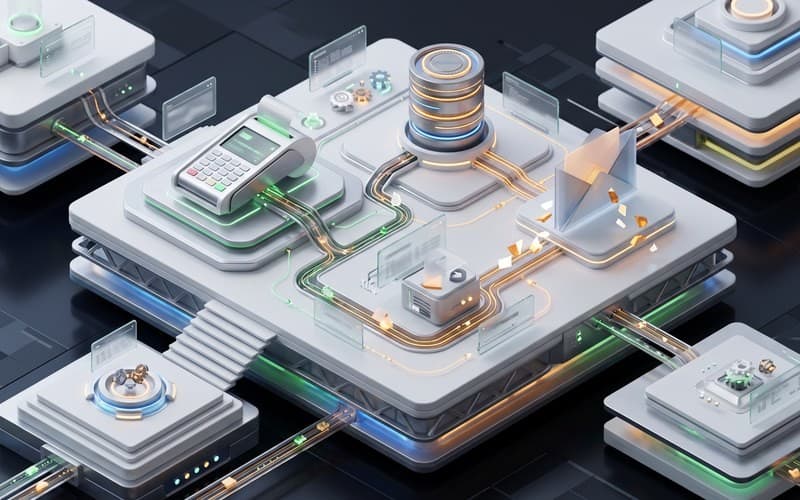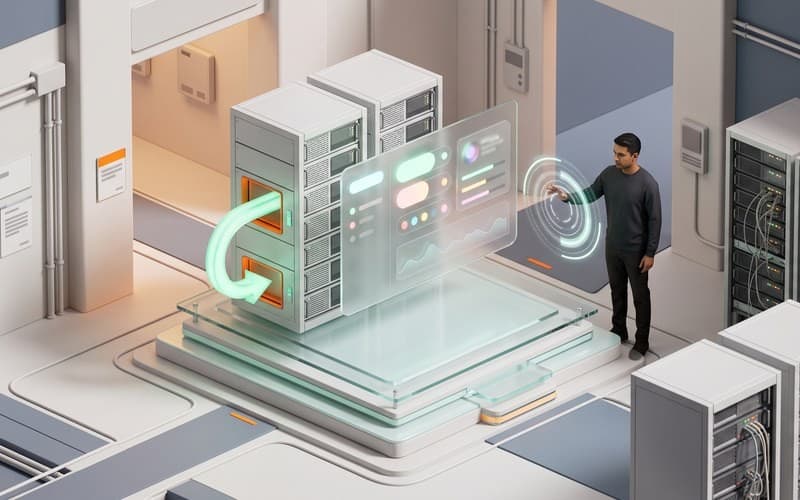
This illustrative example is a product design designed by Canvas Developers to demonstrate how an enterprise knowledge pipeline operates in practice. It is not delivered client work. Deploying an autonomous zapier automation agent enables operations teams to ingest multi-channel documents into centralized vector databases, ensuring downstream retrieval systems remain continuously updated without complex infrastructure.
Project at a Glance: What Is the Scope of This Knowledge Pipeline Concept?
This concept architecture centralizes document ingestion across Google Drive folders, Notion workspaces, and Slack announcement channels. Designed around an event-driven zapier automation agent, the workflow captures file creation events and routes them to serverless parsing endpoints. Rather than relying purely on off-the-shelf connectors, our engineering team defines structured routing schemas and ingestion contracts.
At Canvas Developers, AI coding agents and harness tools accelerate connector scaffolding and test generation, while experienced software engineers establish the pipeline architecture, validate data isolation boundaries, and review every deployment to ensure enterprise resilience.
The Brief: How Can Operations Ingest Dispersed Documents Without Heavy Infrastructure?
Operational teams frequently manage documentation across fragmented repositories, including Google Drive shared folders, Notion team wikis, and Slack announcement feeds. Without unified synchronization, internal retrieval systems surface outdated context and isolate team knowledge. Building dedicated ingestion infrastructure from scratch introduces substantial maintenance overhead for internal engineering teams.
This concept demonstrates how an enterprise zapier ai agent bridges distributed data silos with serverless processing layers. By coupling no-code event triggers with a specialized zapier automated document parser, teams capture documentation updates as they occur. However, as detailed in Zapier operating constraints, standard webhook payloads are capped at 10 MB and trigger execution windows are limited to 30 seconds, making direct in-Zap parsing inefficient for large technical documents.
Technical Approach: How Are Webhooks Coupled with Serverless Processing Services?
To establish a resilient zapier rag pipeline, the system decouples event ingestion from intensive computational processing. Rather than forcing multi-page document parsing into transient webhook triggers, the workflow uses Zapier catch hooks to capture metadata payloads, file download pointers, and user identifiers. These events are immediately routed to dedicated serverless microservices tasked with format normalization, OCR, and text extraction.
This architectural boundary prevents execution timeouts while preserving strict boundary controls. While automated generative tooling assists our developers in building webhook boilerplate, experienced software engineers at Canvas Developers lead code reviews to enforce schema validation and multi-tenant isolation. Dedicated engineering oversight guarantees that document payloads cannot leak across organizational namespaces or trigger unhandled API exceptions during traffic spikes, ensuring the zapier automation agent operates reliably under production conditions.
What Was Built: How Does the Ingestion and Vector Database Sync Work?
The ingestion engine monitors multi-source repositories through native webhooks, executing a structured zapier google drive to pinecone pipeline whenever new assets or document updates are detected. Once files from Google Drive, Notion pages, or Slack announcement channels trigger ingestion hooks, dedicated serverless microservices extract text, strip unnecessary markup, and prepare normalized payloads for semantic indexing.
To maintain high retrieval quality across corporate documentation, processing microservices segment content using sliding-window chunking algorithms before generating dense vector embeddings in structured batches. As detailed in the Pinecone Zapier integration reference, automated workflows can manage record upserts and index synchronization directly. This architecture maintains hybrid search indices that pair vector embeddings with lexical keyword matching for precise recall across technical terminology. Completing the zapier vector database sync, the workflow updates index namespaces and dispatches a synthesized summary into internal Slack channels, notifying teams that new knowledge is immediately queryable by downstream AI assistants.
Engineering Trade-Offs: What Does AI Coding Accelerate and What Demands Human Oversight?
Generative AI coding tools significantly accelerate connector scaffolding, webhook parsing logic, and automated test suite creation. However, deploying an enterprise zapier ai agent in production environments exposes distinct technical boundaries that automated code generators cannot safely navigate alone.
While AI handles repetitive ingestion logic, experienced software engineers must actively manage API rate limits, transient payload surges, and multi-tenant credential security. Human architectural oversight ensures that asynchronous microservices isolate sensitive company records, prevent unexpected schema regressions, and maintain strict data privacy controls before code reaches production environments.
Next Steps: How Can Teams Move from Automated Ingestion Concept to Scoped Build?
Transitioning from an ingestion concept to a resilient production pipeline begins with a structured architecture assessment. Engineering teams must evaluate data governance standards, payload volumes, and integration endpoints before deployment. Whether deploying an autonomous zapier automation agent with privately hosted models or approved cloud tooling, Canvas Developers designs and hardens resilient software systems.
To scope your document indexing pipeline or explore custom business software, connect with our engineering team through our contact form.