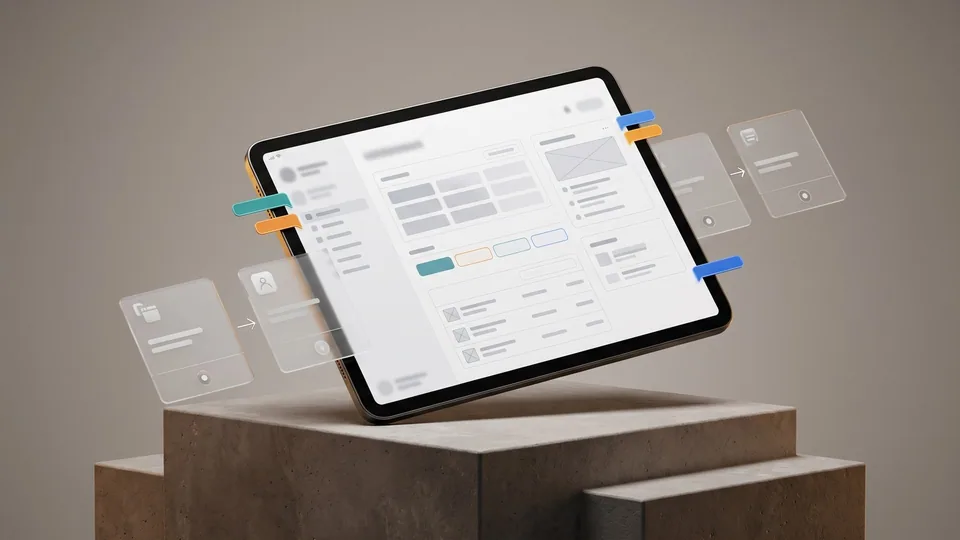
A structured Design Systems service enquiry journey standardises how incoming business requests move from initial prospect discovery into qualified commercial pipelines. By defining shared tokens, accessible form primitives, and explicit state boundaries, engineering teams ensure that entry, scoping, and review interactions maintain consistent data integrity across multi-role workflows.
This walkthrough examines how Canvas Developers approaches the architecture of a qualified enquiry system. We map screen hierarchies, trace asynchronous data flows, enforce accessibility contracts, and use AI-assisted vibe coding workflows paired with strict human code review to deliver reliable enterprise interfaces.
How Does a Design System Structure the Service Enquiry Journey Across Roles?
An enterprise service enquiry journey connects distinct user groups around a single source of truth: the qualified enquiry record. Rather than building bespoke forms and isolated administrative views, systematic service enquiry journey development relies on a unified design system to govern interactions across three primary user roles:
- Prospects: Engage with client-facing entry screens and scoping forms. The design system provides responsive layouts, intuitive validation feedback, and persistent progress indicators that reduce friction during initial requirement submission.
- Sales Operators: Review incoming records within an internal triage workspace. Standardised data tables, status badges, and expandable drawer components enable operators to evaluate technical scope, budget alignment, and lead priority efficiently.
- Content Administrators: Maintain service catalogues, intake questionnaire steps, and field validation rules. Pre-built form management primitives allow administrators to update dynamic form schemas without altering foundational interface code.
By enforcing shared design tokens across spacing, typography, and semantic status indicators, the Design Systems service enquiry journey eliminates visual divergence between public touchpoints and operational back-office tools. This consistency preserves data formatting and role permissions as an enquiry transitions from submission to active qualification.
How Are Entry, Task Detail, and Confirmation Screens Handled Across Interaction States?
Screen Hierarchy and UI States Across Entry, Detail, and Confirmation Views
The user experience is structured across three core screens, each engineered with deterministic UI states that guide users through progressive disclosure while maintaining responsive feedback:
- Entry Screen: Captures high-level project objectives, service domain selections, and preliminary contact details. During asynchronous data verification, token-matched skeleton placeholders prevent cumulative layout shifts.
- Task Detail View: Collects comprehensive technical requirements, architectural constraints, expected milestones, and supporting documentation. Guided empty states offer contextual tips to assist prospects during technical scoping.
- Confirmation View: Delivers an immutable qualified enquiry summary card, a unique tracking reference token, and an operational timeline outlining subsequent engineering review stages.
Across all three views, interactive controls transition seamlessly through idle, active, loading, and error states, ensuring that network interruptions trigger localized retry prompts rather than blank screens.
Preserving Consent, Attribution, and Accessibility Across Form Handoffs
Transitioning data between multi-step form handoffs requires strict preservation of user consent, marketing attribution, and keyboard navigation integrity. Marketing attribution parameters, including UTM tags and referrer headers, are retained in persistent state stores without cluttering user-facing fields. Consent contracts remain explicit, utilising independent, unbundled checkboxes for data processing terms and communication preferences.
Through systematic Design Systems integration, our engineering approach constructs accessible form design systems using headless primitives such as Radix UI Form components. These primitives manage DOM focus transitions and automatically bind aria-invalid and aria-describedby attributes to corresponding error messages. Adhering to the W3C WCAG 3.3.1 Error Identification standard, error summaries are described clearly in plain text, ensuring that previously validated input fields are never cleared when an adjacent field requires correction. This decoupled accessibility layer ensures that keyboard users and assistive devices receive immediate, non-disruptive feedback across all interaction handoffs.
How Does Enquiry Data Flow from Form Input to Validated Persistence?
Tracing Input Validation, Idempotent Storage, and User Acknowledgement
To establish data integrity across the qualified enquiry workflow, every submission follows a deterministic path from initial user input to final database persistence:
- Client-Side Validation: As the prospect fills form fields, schema validation rules execute locally, validating email syntax, character limits, and budget thresholds before network transmission.
- Idempotency Key Generation: Before sending the HTTP request, the client attaches a unique, cryptographically generated UUID idempotency key to prevent duplicate records caused by network retries or rapid double-clicks.
- Server Validation and Persistence: The API gateway sanitises the incoming payload, validates the idempotency header against a distributed cache, and commits the transaction to the database as a validated
qualified enquiryrecord. - User Acknowledgement: Upon successful persistence, the backend returns an HTTP 201 response containing an immutable enquiry reference code, prompting the frontend to transition immediately to the confirmation state.
Decoupling Design System Component Primitives from Backend Storage
A central tenet of sustainable Design Systems development is maintaining a clean architectural boundary between frontend design primitives and backend persistence models. The design system focuses strictly on UI concerns: component typography, input layouts, focus rings, and accessible state management.
Backend data structures, relational foreign keys, CRM webhooks, and email dispatch routines reside within independent domain services. By communicating across typed JSON contracts (such as OpenAPI schemas), frontend teams can refactor visual components and design tokens without risking database schema mismatches. Conversely, backend teams can alter database indexes or lead-routing business logic without breaking frontend component libraries. This separation ensures that Design Systems primitives govern presentation and accessibility, while robust backend controllers manage transactional security and storage.
How Are Interrupted Submissions Tested and Delivered with Vibe Coding?
A resilient enquiry architecture must ensure that an interrupted submission can resume without duplicate records or lost input. In our approach, client sessions persist partial drafts in local browser storage, synchronised against a server-side draft token. When a prospect reopens the form after a dropped connection, the interface reconciles the saved state seamlessly without triggering duplicate database entries.
To implement this workflow efficiently, Canvas Developers leverages Design Systems vibe coding techniques, using AI coding agents and harness frameworks like Antigravity to scaffold form components, Storybook stories, and TypeScript validation schemas. This automation shortens feedback loops and reduces repetitive boilerplate coding during early prototyping.
However, AI scaffolding alone cannot replace rigorous engineering. Experienced engineers direct our entire delivery lifecycle, conducting strict code reviews and writing automated end-to-end acceptance tests that simulate network dropouts, concurrent tabs, and session expirations. Senior engineers also audit data validation, CSRF protection, and database transaction locking. This disciplined engineering oversight guarantees that speed gains in Design Systems development never compromise transaction integrity or data security.
How Can Technical Teams Scope a Service Enquiry Journey Implementation?
Before initiating a multi-role Design Systems integration, engineering leadership should evaluate architectural scope using a targeted acceptance checklist:
- System Primitives Audit: Verify existing design tokens, form controls, and validation styles.
- Contract Mapping: Define typed schema boundaries between client inputs, idempotency caching, and database models.
- Recovery & Accessibility Testing: Validate keyboard focus loops, screen reader ARIA tagging, and offline session restoration.
When an organisation only requires basic single-field lead capture, standard static forms offer a simpler, low-overhead solution. However, when complex qualification, attribution, and multi-role workflows are essential, a custom design system architecture ensures long-term scalability. Technical teams can evaluate their current stack, workflows, and compliance constraints by initiating a scoped architectural assessment through our Design Systems engineering services or connecting via the Canvas Developers contact form.
Outcome
The design system architecture eliminates visual divergence between public touchpoints and operational tools while ensuring interrupted submissions resume seamlessly without duplicate records or lost input.