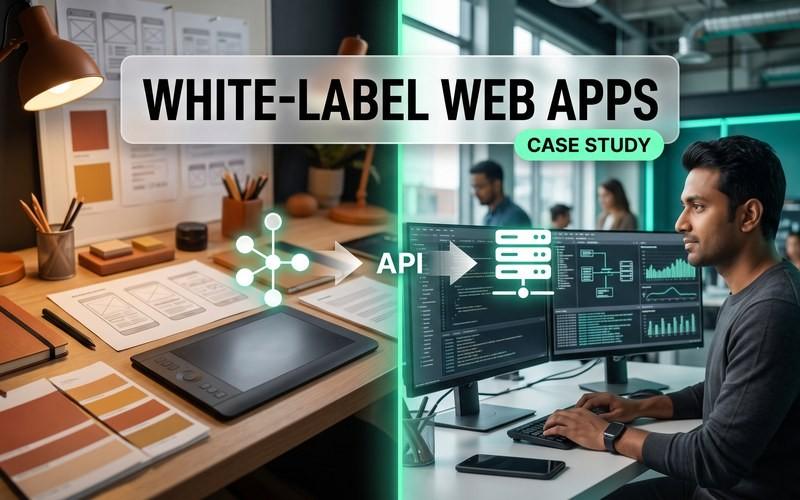
An effective UI & Visual Design in Figma enquiry qualification review workflow establishes clear boundaries between frontend exception management and underlying ingestion systems. In enterprise intake architectures, incoming records frequently stall due to schema validation failures, missing campaign attribution, or transient gateway timeouts. This walkthrough examines how Canvas Developers structures the review interface in Figma across the exception inbox, side-by-side record comparison, and contextual resolution drawer. By modeling exact interactive states and field-level constraints prior to implementation, engineering teams isolate manual exception handling from automated ingestion pipelines while maintaining auditability and form accessibility.
What is the enquiry qualification review workflow and who uses it?
An enquiry qualification review workflow governs how commercial intake pipelines handle incoming leads that fail automatic scoring, encounter data validation errors, or stall due to delayed third-party enrichment. During enquiry qualification review development, defining clear operational boundaries ensures that high-value opportunities are not dropped when an incoming payload violates schema rules or lacks critical metadata.
The workflow coordinates three primary roles around a central record known as the qualified enquiry:
- Prospects: End users who submit structured intake forms, providing contact identity, commercial requirements, and verifiable consent declarations.
- Sales Operators: Frontline triage personnel who inspect stalled submissions, verify corporate domain authenticity, resolve flagged syntax errors, and trigger isolated downstream routing.
- Content Administrators: Systems managers who configure qualification rule matrices, field validation logic, and attribution mapping taxonomies.
Applying structured UI & Visual Design in Figma enquiry qualification review prototypes allows cross-functional teams to test operational handoffs before committing code. At Canvas Developers, our engineers pair rapid component scaffolding with rigorous architectural design, ensuring that operational interfaces strictly isolate manual corrections from background data pipelines while enforcing role-based permissions across every intake stage.
How are exception screens, comparisons, and error states structured in Figma?
Translating an intake error pipeline into a coherent user interface requires systematic component architecture. During UI & Visual Design in Figma development, visual designers and engineers align around component sets that accurately represent system failure modes before writing client application code.
Structuring the exception inbox and record comparison views
The exception inbox serves as the central operational queue for sales operators, organizing failed or delayed enquiries into structured data tables. The interface visualizes qualification severity tiers, payload ingestion timestamps, and specific error categories such as malformed email syntax or unreachable domain records. Operators can filter exceptions without modifying raw ingestion streams or triggering bulk re-processing.
When an operator selects a flagged record, the record comparison view presents a split-pane layout comparing raw submitted payload fields against validated schema targets. Side-by-side diffing highlights missing UTM parameters, unverified corporate registries, and consent flag values. When teams adopt UI & Visual Design in Figma vibe coding practices to quickly prototype these layouts, AI coding agents generate initial component scaffolds while experienced frontend engineers review token bindings, auto-layout constraints, and DOM structure.
Designing the resolution drawer, empty states, and validation alerts
The resolution drawer slides into view over the comparison screen, providing operators with contextual input fields to remediate missing or invalid attributes. Using variable modes in prototypes, the design specification establishes distinct visual modes for active remediation, pending re-verification, and field-level validation errors. This ensures engineers can inspect interactive states without relying on ambiguous static artboards.
Empty states clearly communicate when the exception queue has been cleared, distinguishing between zero-error states, filtered search misses, and backend gateway synchronization pauses. Validation alerts use explicit ARIA live region annotations within design documentation, ensuring screen readers announce remediation errors immediately when an operator attempts an invalid manual override.
How does the enquiry data flow from capture to isolated replay?
A reliable data flow ensures that malformed or delayed intake payloads transition into manual review without losing critical metadata. In our approach to enquiry qualification review development, records move through an event-driven pipeline that logs schema failures, alerts operators, and prepares granular replay payloads.
Tracing delayed records, consent integrity, and accessible inputs
When an enquiry arrives with delayed third-party enrichment or invalid format markers, the backend ingestion service routes the record to an exception dead-letter queue. The review interface inspects the stored snapshot while preserving immutable consent declarations, such as opt-in timestamps, privacy policy versions, and explicit processing permissions.
Accessible inputs remain critical during remediation. The resolution drawer adheres to strict semantic conventions, pairing form fields with explicit label associations, descriptive error text, and keyboard navigation rings. Sales operators correct address records or business registration IDs without tampering with underlying prospect consent tokens, preventing regulatory compliance drift.
Preserving attribution and isolating UI specs from backend replay services
Maintaining marketing attribution across handoffs requires tracking original UTM parameters, referring domains, and campaign identifiers throughout the review lifecycle. As part of UI & Visual Design in Figma integration planning, design files explicitly separate visual state representations from the transactional replay engine.
While Figma models UI validation logic and field layouts, Figma does not execute transactional HTTP requests or message queue retries. In our architectural pattern, the resolution drawer emits a structured update payload to an isolated replay endpoint. This allows an operator to resolve one failed record without replaying unrelated successful records, maintaining transactional isolation across the broader intake system.
How do engineering reviews and acceptance checks validate the Figma handoff?
Engineering verification validates that visual specifications translate faithfully into production components. During UI & Visual Design in Figma development, developers use Dev Mode in Figma to inspect spacing tokens, component variants, and change histories between releases.
In modern delivery pipelines, incorporating UI & Visual Design in Figma vibe coding helps developers rapidly draft interface slices and form primitives with AI coding tools. At Canvas Developers, experienced engineers direct the overarching architecture, conduct peer code reviews, and implement comprehensive test suites to ensure secure state management, data integrity, and role-based permissions.
Acceptance testing enforces core operational criteria before deployment:
- An operator can correct and replay a single failed enquiry without re-triggering batch re-runs or duplicating successful records.
- Attribution tags and consent audit timestamps remain immutable during manual field remediation.
- All form controls satisfy WCAG accessibility standards for focus management, keyboard traversal, and screen reader feedback.
How can you scope an enquiry qualification tool with Canvas Developers?
Deploying a reliable intake workflow requires balancing rapid UI prototyping with robust transactional engineering. Canvas Developers combines human-led software architecture with AI-accelerated delivery to implement custom intake portals, internal operational consoles, and robust UI & Visual Design in Figma integration workflows.
Whether you need to stabilize an existing vibe-coded interface or build a resilient exception management system from scratch, our team provides architectural scoping and end-to-end development. Share your current ingestion stack, validation constraints, and target outcomes through our contact form to schedule a technical assessment.
Outcome
Engineering reviews and acceptance tests verify that operators can remediate and replay individual failed records without re-triggering batch re-runs or duplicating successful records. The workflow ensures marketing attribution tags and consent audit timestamps remain immutable while all form controls satisfy WCAG accessibility standards.