Software & App Development
Mobile App Development
iOS and Android apps built with React Native, Flutter or native code, from first release to regular updates. AI-assisted engineering, designer-led journeys and real-device testing before every release.
Who comes to us for apps
Your product needs to live on people's phones, using notifications, the camera, location or offline storage. You also need someone to take each release through Apple and Google's review and keep the app working as both platforms change.
- Web product teams whose customers keep asking for an iOS and Android app
- Field and frontline teams who need an app that works with poor signal
- Owners of a live app stuck on old SDKs or rejected by store review
iOS and Android apps, from first release onward
Users judge an app in its first few sessions, app stores review every release, and a buggy version can't be pulled back from phones once it's installed. We build cross-platform apps with React Native or Flutter, and native Swift or Kotlin apps when the product needs deep platform features. AI agents support implementation, refactoring and test drafting under engineer supervision. Designers own the journeys, QA tests on real devices and releases go out through staged rollouts with crash monitoring.
AI-assisted, expert-led app development
How AI assists
- Implementing screens, navigation and API calls, and upgrading SDKs across iOS and Android
- Generating interface variations and clickable prototypes for designers to refine and test
- Drafting unit, widget and end-to-end tests from user stories and acceptance criteria
- Grouping crash reports and logs so engineers can trace problems to their cause
What our experts own
- Engineers choose cross-platform or native, design offline sync and review every change before merge
- Designers own flows, iOS and Android conventions, accessibility and every interaction state
- QA tests permissions, payments, notifications and poor connections on real devices
- Engineers manage signing, store submission, staged rollouts and responses to app review
What you receive
What we deliver for your mobile app
Cross-platform app
One React Native or Flutter codebase for iOS and Android, structured so platform-specific screens and native modules can be added cleanly.
Native iOS and Android builds
Swift and Kotlin development when the app depends on deep platform features such as Bluetooth, background tasks or advanced camera use.
Backend and APIs
Authentication, data APIs, file storage and an admin panel, or a clean integration with the backend you already run.
Push notifications and deep links
Targeted, scheduled notifications that open the right screen, with user preferences and opt-outs handled properly.
Offline support and sync
Local storage, sync queues and conflict handling, so the app stays usable on weak or missing connections.
App store release
Signing, builds, store listings, privacy disclosures and submission to the App Store and Google Play, including responses to review feedback.
How an app update reaches users' phones
Typical release path for an iOS and Android update; steps and gates are agreed per app.
Release build
A signed build from the release branch, with version number, changelog and store notes ready.
Checkpoint: Engineer approves the release branch
Backend first
Any API changes go live first and keep working for app versions already on phones.
Device testing and beta
QA runs the build on real devices, then a beta group uses it before submission.
Checkpoint: QA sign-off on core journeys
Store review
Apple and Google check the build, listing and privacy details; we answer reviewers' questions.
Checkpoint: Approval rests with Apple and Google
Staged rollout
The update reaches a growing share of users while crash and error rates are watched.
Checkpoint: Go/no-go before each expansion
Full release
Everyone can install the update; crash trends and user ratings feed the next release plan.
When something fails: If crashes rise, we pause the rollout, switch the faulty feature off by remote flag where one exists, and ship a fixed build.
Typical app requests
Typical scenarios we scope, not client case studies.
Inspection app that works offline
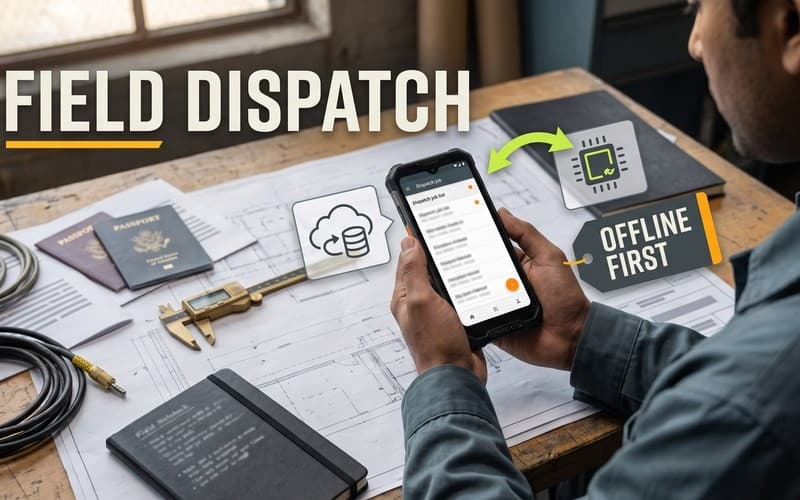
Inspectors fill in paper forms on site and retype them at the office. We would build an app that captures photos, signatures and checklists offline, then syncs when a connection returns, with conflict rules agreed in advance.
Phone app for an existing web product
A web product's users want to check status and get alerts on their phones. We would build a React Native app on the existing API, reuse its sign-in, and add push alerts that link straight to the relevant record.
Store rejection and outdated SDKs
A live app's latest update is rejected over a new store privacy rule, and its SDKs are several versions behind. We would fix the review issues, upgrade SDKs in small tested steps and resubmit with updated privacy disclosures.
How an app project runs
- 01
Strategy and scope
We define users, core features, platforms and integrations, choose cross-platform or native, and agree which AI tools may work on your code.
- 02
Design and prototype
Designers map flows and build clickable prototypes that follow iOS and Android conventions, reviewed with you before development starts.
- 03
Build and test
Agents implement scoped tasks, engineers review every change, and QA tests each build on real devices through TestFlight and Google Play testing tracks.
- 04
Release and improve
Store submission, staged rollout and crash monitoring, then handover or ongoing updates as your app, users and platforms change.
Two ways to work with AI tools
Choose where AI coding agents may process your code while we build. The engineering standard is the same either way.
- Private / Local AI Engineering
Privately hosted models inside infrastructure you control or an agreed isolated environment.
Discuss with this package - Claude Code / OpenAI Codex Engineering
Claude Code and/or OpenAI Codex with cloud settings your organization approves.
Discuss with this package
Not sure? We'll recommend one during scoping. Compare AI delivery options
How design, QA and release management connect
Designer-led app journeys
Designers prototype onboarding, core tasks and error states for both platforms, and validate them with you and real users where possible. AI helps explore variations; designers decide.
Real-device testing
QA checks key journeys, permissions, payments and notifications on real devices and OS versions, with automated regression tests running on every build.
Staged rollouts and monitoring
Releases go out through beta tracks and staged rollouts, with crash reporting and alerts in place, so a release can be paused if problems appear.
Updates that keep pace
New OS versions, SDK changes and store policy updates keep coming. We can maintain the app and ship improvements under a support plan agreed with you.
What an app project doesn't include
- You'll need your own Apple Developer and Google Play accounts; the app is published under your company's name, not ours.
- If nothing in the product needs device features or offline use, a responsive web app may be enough — see Web Design & Development.
- An app backend can be part of the build; a public API for other companies' developers is designed as its own product — see API Development.
- Testing an app someone else built, without new development, can be booked on its own — see Software QA & Testing.
FAQ
Frequently asked questions
React Native, Flutter or native: which should we choose?
React Native suits teams working in JavaScript or TypeScript and apps that share logic with a web product. Flutter suits apps with highly customized interfaces. Native Swift and Kotlin make sense when the app relies on deep platform features or demanding performance. We recommend one after reviewing your requirements, team and budget.
How long does it take to build an app?
It depends on the features, integrations and platforms, and on how settled the design is. We usually recommend a focused first release, then improvements based on real usage. Your proposal includes a milestone plan, and you get regular test builds to install and review as the work progresses.
Do you handle App Store and Google Play submission?
Yes. We prepare signing, builds, screenshots, store listings and privacy disclosures, submit the app and respond to review feedback. Approval is decided by Apple and Google, so we follow their guidelines from the start and allow time for review in the release plan.
Where is our app's code processed when AI tools are used?
That depends on the development package. With Private / Local AI Engineering, models run on your infrastructure or in an agreed, isolated environment. With Claude Code / OpenAI Codex Engineering, commercial coding agents process code under account terms and access we agree before work starts. Signing keys and store accounts stay under your control.
Related case studies



Related projects



Related articles


Related Services

Vibe Coding Consulting & Governance
Architectural guardrails, automated testing enforcement, and code audits for AI-generated codebases....
Learn more
Web Design & Development
Websites, web applications, customer portals and internal tools built around clear user journeys. De...
Learn more
API Development
REST and GraphQL APIs with clear contracts, sound authentication and documentation developers can us...
Learn more
DevOps & CI/CD
Build, test and deployment pipelines that check every change before it reaches production. We set th...
Learn more
Planning a mobile app?
Share your idea or your current app. We'll recommend a platform approach and development package, then send a proposal with scope, milestones and pricing.