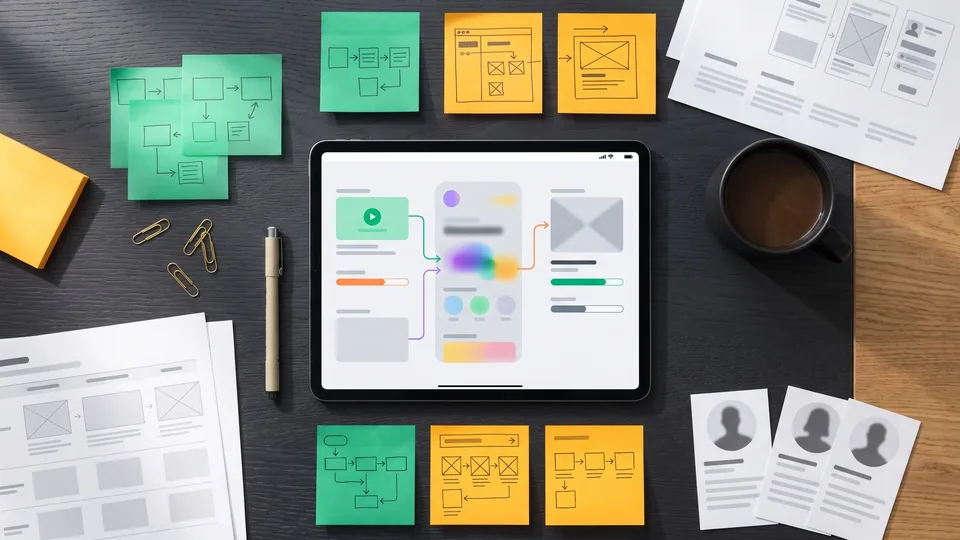
An effective user testing checklist prevents teams from committing flawed assumptions to production code. Before software engineers write backend logic, database schemas, or API contracts, product teams must systematically validate clickable prototypes against real user behaviors. Testing interactive prototypes surfaces navigation bottlenecks, dead-end interaction loops, and unclear information architecture when changes require hours in design software rather than weeks of costly engineering refactors.
This guide provides an end-to-end operational checklist to prepare behavioral screeners, structure goal-oriented usability tasks, evaluate cross-device interactions, and translate qualitative session observations into validated technical specifications.
Why Do Unchecked Prototypes Derail Engineering Sprints?
Deploying unvalidated prototypes into active development cycles creates severe interaction debt. When engineering teams build functional components around untested user flows, minor interface ambiguities cascade into structural defects. Reworking an ambiguous multi-step checkout or a counterintuitive dashboard hierarchy in production demands database migrations, revised state management, modified API payloads, and regression testing across environments. Applying a rigorous user testing checklist before sprint kickoff stops this compounding debt at the wireframe and mock-up stage.
Unchecked prototypes also create organizational friction between designers, product managers, and developers. A visual mockup often masks underlying logic gaps: designers assume simple happy-path transitions, while developers struggle to infer system states for network drops, validation errors, or asynchronous data loading. Running a structured prototype user testing checklist exposes whether target users genuinely understand the intended mental model. This evidence unifies technical product managers and engineering leads around observable user behavior, replacing subjective design debates with empirical data before writing the first line of code.
What Must You Validate in a Prototype Before Writing Code?
Static screens and polished design tokens often conceal fundamental structural flaws. Before committing engineering resources to development, an operational prototype user testing checklist isolates system predictability, edge behavior, and user flow from cosmetic styling. Exposing edge cases that high-fidelity UI mockups hide ensures engineering teams do not build functional logic around unverified assumptions, preventing costly rework during active implementation sprints.
Core Navigation Hierarchies and Information Architecture
Validating information architecture requires confirming that users navigate to core tasks without relying on external assistance or trial-and-error searching. A rigorous website usability testing checklist tests whether menu labels, nested sub-pages, contextual breadcrumbs, and category taxonomy reflect authentic mental models. When participants hesitate or misinterpret navigation nomenclature, engineering teams risk implementing complex routing trees and state management stores that require structural refactoring post-launch. Testing early confirms that taxonomic hierarchies support intuitive task completion across workflows before database schemas are locked.
Handling Dead-End Interactions and Missing Feedback States
Interactive wireframes frequently map the happy path while omitting state recovery mechanisms. Prototype evaluations must intentionally surface what happens when users cancel actions, input unexpected data, or encounter system boundaries. High-fidelity mockups frequently conceal critical edge cases, including empty dashboard states, network delays, and asynchronous validation feedback. Observing participants navigate these moments reveals where user expectations diverge from system feedback, allowing product designers to define explicit error, loading, and recovery states before developers write component logic and interface controllers.
Phase 1: How Do You Prepare Screeners and Test Scripts?
Preparation determines the diagnostic value of any usability evaluation. Without qualified participants and structured prompts, testing produces anecdotal feedback rather than actionable engineering specifications. Phase 1 of our user testing checklist establishes the foundational recruiting and scripting protocol.
Filtering Participants by Behavioral Habits Rather Than Demographics
Demographic criteria such as age brackets or geographic locations rarely predict how an individual interacts with software interfaces. Effective recruiting screeners filter candidates by operational habits, current tooling workflows, and domain familiarity. For example, testing a B2B financial dashboard requires participants who reconcile ledger transactions weekly, rather than generic office workers. Screening questions must use open-ended qualification criteria and decoy options to prevent professional respondents from guessing desired answers. Recruiting five to six behaviorally matched participants per user segment consistently uncovers core architectural friction points.
Drafting Goal-Driven Prompts with a User Testing Script Template
Test moderators must never direct participants to specific UI elements or use interface terminology in task instructions. An effective user testing script template frames scenarios around business objectives rather than mechanical clicks. Instead of instructing a user to "click the filter button and select overdue invoices," a realistic scenario asks: "You need to identify all accounts that have not paid their invoice within thirty days and send them a reminder. Show how you would accomplish this." This structure forces the participant to locate navigational signposts independently, revealing whether menu organization and call-to-action buttons convey clear affordances.
Defining Quantitative Success Metrics for Task Completion
Qualitative commentary must be paired with objective, reproducible metrics to guide technical priorities. Before conducting sessions, define concrete benchmarks for each task:
- Direct Task Success: The user completes the objective along the planned interaction path without detour or assistance.
- Indirect Task Success: The user finishes the goal via an alternative path, signaling possible navigational confusion.
- Single Ease Question (SEQ): A 7-point post-task rating assessing perceived difficulty immediately upon completion.
- Time on Task: Total duration spent navigating the flow, establishing baseline operational efficiency.
Establishing these quantitative baselines ensures that post-test analysis distinguishes minor aesthetic preferences from critical functional blockers.
Phase 2: How Do You Test Interactive Prototypes Across Devices?
Testing interactive prototypes across real hardware environments reveals execution barriers that remain invisible on desktop design canvases. Phase 2 of our evaluation protocol focuses on mitigating tooling bias and testing cross-device performance before engineering teams begin implementation.
How to Run User Testing on Figma Prototypes Without Prototype Bias
Understanding how to run user testing on figma prototypes requires actively eliminating software-induced testing artifacts. By default, Figma highlights clickable hotspots with blue flashing rectangles whenever a participant clicks non-interactive areas. This visual cue introduces artificial guidance, coaching participants toward the correct path and corrupting behavioral data. Teams must disable hotspot hints in prototype presentation settings before testing. Furthermore, as highlighted in the Ministry of Justice prototyping guidance, visual prototyping tools have structural limits: they cannot easily simulate persistent data handling, keyboard-based assistive technologies, or dynamic input reactions. Teams should maintain dedicated, lightweight prototype files with optimized assets to avoid browser memory limits and slow load times that trigger participant drop-off.
Moderated vs Unmoderated Prototype Usability Testing Protocols
Selecting between synchronous and asynchronous methodologies depends on task complexity and research maturity. Unmoderated prototype usability testing excels at quantitative validation across large cohorts, providing rapid feedback on path completion rates, misclick heatmaps, and drop-off funnels for standardized flows like user onboarding. However, unmoderated sessions cannot explain why a user hesitated or misinterpreted a label. Moderated sessions utilize a think-aloud protocol where a skilled facilitator probes unexpected actions in real time, making them indispensable for novel B2B interfaces or intricate multi-role permission workflows.
Mobile App Usability Checks: Gestures, Viewport Sizing, and Latency
Evaluating mobile interfaces on desktop monitors produces distorted ergonomics. A comprehensive mobile app user testing checklist requires testing on actual physical smartphones to evaluate thumb-zone accessibility, multi-touch gestures, and dynamic viewport constraints:
- Touch Targets: Confirm buttons, icon toggles, and dropdown triggers maintain minimum touch targets of 44 by 44 points to prevent accidental tapping.
- Keyboard Obstruction: Verify that active input fields automatically adjust above the native virtual keyboard without covering primary submit actions.
- Gesture Feedback: Test whether horizontal carousels, swipe-to-delete patterns, and pinch-to-zoom actions provide immediate tactile and visual responses without conflicting with native operating system navigation gestures.
Validating these physical interactions early ensures frontend developers receive finalized responsive specifications rather than guessing mobile interaction details.
Phase 3: How Do You Translate Test Findings into Scoped Technical Specs?
User testing yields rich observational data that must be systematically organized before entering sprint backlogs. Phase 3 of our prototype user testing checklist bridges qualitative user observations with technical implementation requirements, ensuring engineering teams build validated solutions rather than patching flawed interaction models.
Classifying Friction: Architecture Redesign vs UI Polish
Usability findings must be categorized by engineering severity rather than subjective urgency. Surface friction—such as button contrast, microcopy ambiguity, or spacing inconsistencies—represents UI polish that design teams can resolve in hours without modifying codebase logic. Conversely, structural friction—such as users failing to understand multi-entity relationships, getting trapped in circular flows, or expecting instant data synchronization across views—demands architectural revisions. Sorting findings into a prioritized matrix within your user testing checklist prevents engineering teams from burning sprint capacity rebuilding frontend components whose underlying information architecture remains unresolved.
Bridging UX Findings with API and Data Architecture Requirements
Usability sessions frequently surface unstated technical dependencies. When participants expect real-time calculation updates or instant cross-filter feedback, engineering must design responsive backend APIs, WebSocket channels, or optimized caching layers. Teams utilizing our wireframing and prototyping services and interaction design services translate validated user journeys into comprehensive API contracts and database schema specifications. At Canvas Developers, AI coding agents speed up initial interface scaffolding, but experienced senior engineers direct the system architecture, conduct rigorous code reviews, and verify data integrity, authentication security, and payment pipelines before production release.
What Mistakes Undermine Usability Testing Before Handoff?
Even well-intentioned testing initiatives can generate misleading findings if methodologies fail to guard against common research pitfalls. Avoiding these core mistakes protects sprint velocity and product integrity.
The most frequent error is leading the witness with overly prescriptive task instructions. When facilitators say "click the blue button in the header to export the CSV," they evaluate reading comprehension rather than interface usability. A sound user testing checklist mandates non-directive task framing that allows participants to explore independently or experience friction, revealing authentic usability barriers.
A second vulnerability involves evaluating superficial visual styling while neglecting structural information architecture. Teams often focus participant feedback on color palettes, typography, or micro-animations while failing to audit whether primary navigation groupings and multi-step forms align with mental models. A robust website usability testing checklist tests whether users understand underlying data relationships before styling choices are finalized.
Finally, engineering teams often over-rely on AI coding tools to rapidly assemble interfaces without experienced human oversight. While AI coding agents accelerate frontend scaffolding, automated tools cannot infer business logic edge cases, secure session state handling, or backend database constraints. Without experienced engineers reviewing the generated architecture, teams deploy prototypes that look functional on the surface but fail under real-world concurrency, authentication, or payment processing loads.
Is Your Validated Prototype Ready for Technical Scoping?
Before handing a prototype to engineering, product teams should conduct a final pre-development usability sign-off. Ensure your user testing checklist confirms that all primary user flows achieved benchmark task completion rates, unhandled dead-end states have been resolved, and responsive touch targets comply with mobile interaction standards.
Transitioning from an interactive prototype to production-grade software requires deliberate architectural planning. At Canvas Developers, we direct AI coding agents to accelerate development while our experienced engineers own system architecture, conduct line-by-line code reviews, and rigorously audit security controls, validate payment logic, and test scalability limits before release. Explore our user testing services or request a scoped technical assessment via our contact form to review your prototype, existing stack, and production roadmap.
Step by step
Prepare Screeners and Test Scripts
Filter test participants by behavioral habits rather than demographics, and prepare non-directive scenarios using a goal-oriented user testing script template.
Test Interactive Prototypes Across Devices
Conduct moderated think-aloud or unmoderated sessions across mobile and desktop devices, disabling hotspot hints in Figma to avoid artificial participant guidance.
Translate Test Findings into Technical Specs
Classify usability friction into surface UI polish versus structural architecture redesign, and translate validated interaction paths into clear API and data requirements.