Product Design & UI/UX
User Testing
See where real users struggle with your product, and why. We run usability tests on prototypes and live products, then give you prioritized fixes backed by evidence.
Who asks for usability testing
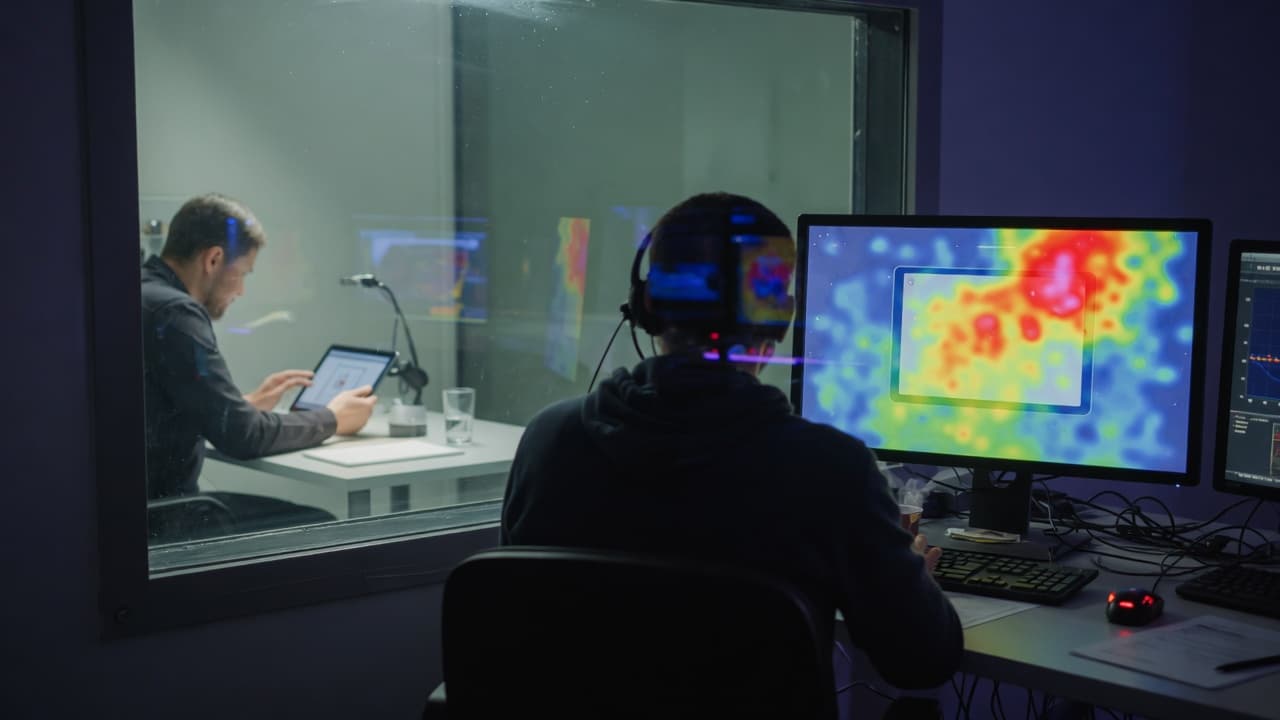
Your team disagrees about why users stall at a step, and every opinion sounds plausible. Testing shows what real people do with the product, so the decision rests on what you watched happen.
- Teams about to release a redesign that only insiders have tried
- Product managers who see a funnel drop-off in analytics but not the cause
- Support leads whose tickets keep describing the same confusion in one flow
Watch real people use your product
Teams know their product too well to see where newcomers struggle. Usability testing shows it directly: real people attempt real tasks while a researcher observes. We test prototypes, staging builds and live products with participants who match your users, combine what we see with the analytics you permit us to use, and report what is wrong, why it matters and how to fix it. Testing can be a standalone engagement, including for products another team built.
AI-assisted analysis, researcher-led testing
How AI assists
- Drafts test scripts, tasks and screener questions from your goals, for researchers to refine.
- Transcribes consented session recordings and tags moments of hesitation, errors and abandoned tasks.
- Groups observations across sessions into issues, each linked to the clips and quotes behind it.
- Summarizes the heatmap, funnel and recording data you permit us to use, to show where to look closer.
What our experts own
- Participants are real people who match your users, recruited and moderated by researchers, never AI simulations.
- Researchers check every AI-tagged issue against the recordings and keep observed behavior separate from opinion.
- Severity ratings and recommendations come from researchers who reviewed the evidence, not from a model.
- Accessibility testing with screen readers and keyboard navigation is done by people, not only by automated scans.
Inside a moderated usability session
Typical moderated session and analysis; your tasks and severity scale are agreed in the test plan.
Brief and consent
The moderator explains the session and asks for recording consent; the product is tested, not the participant.
Checkpoint: Recording starts only after consent
Warm-up
Easy questions about their work and current tools, so later behavior can be read in context.
Think-aloud tasks
Participants attempt realistic tasks and say what they expect; the moderator probes but never hints at answers.
Debrief
Open questions about what felt hard or surprising, and anything the participant expected but couldn't find.
Severity rating
Across all sessions, researchers confirm each issue in the recordings and rate how much it blocks the task.
Checkpoint: Only confirmed issues reach the findings
Findings
Each confirmed issue is written up with its clip, the task it blocked and a suggested fix.
When something fails: If a participant gets stuck, the moderator notes where and moves on; a stalled task is a finding, not a failed session.
How a usability study runs
- 01
Plan
We agree what to test, the tasks, success criteria and who to recruit, plus consent and how recordings are stored and processed.
- 02
Recruit and test
Researchers recruit matching participants and run moderated or unmoderated sessions on your prototype, staging build or live product.
- 03
Analyze
AI helps transcribe and tag sessions. Researchers review the recordings, confirm each issue and rate its severity.
- 04
Recommend and retest
A walkthrough of findings with clips and recommended fixes, then a follow-up test once changes are made, if you want one.
Two ways to work with AI tools
AI helps synthesize permitted research and explore designs. Choose where it may process your research and files.
- Private / Local AI Engineering
Privately hosted models inside infrastructure you control or an agreed isolated environment.
Discuss with this package - Claude Code / OpenAI Codex Engineering
Claude Code and/or OpenAI Codex with cloud settings your organization approves.
Discuss with this package
Not sure? We'll recommend one during scoping. Compare AI delivery options
What you receive
Usability testing deliverables
Test plan
Objectives, tasks, success criteria and participant profile, agreed with you before recruiting starts.
Moderated sessions
Live remote sessions where a researcher guides participants through tasks and asks follow-up questions to understand why they struggle.
Unmoderated tests
Participants complete tasks on their own with screen and voice recorded, for quicker reads across more people.
Behavior analytics review
Heatmaps, funnels and session recordings you permit us to use, showing where users drop off, hesitate or repeat steps.
Accessibility testing
Keyboard, screen reader, contrast and focus checks mapped to WCAG success criteria, with steps to reproduce each issue.
Findings report
Issues ranked by severity, with video clips, quotes and recommended fixes, plus redesign concepts for the most serious problems.
Typical usability test requests
Typical scenarios we scope, not client case studies.
A checkout step people abandon
Analytics show visitors leaving at the delivery step, and the team has competing theories about why. We run moderated sessions on that step with people who match your customers and check each theory against what they actually do.
A redesign ready on staging
A new onboarding flow works on staging, but only the team has used it. We give first-time users the same tasks on the current and new flows, rate each problem by severity and flag what should be fixed before release.
Different user groups, same app
Office admins and field staff use the same app very differently. We run moderated sessions with each group to learn why tasks stall, then an unmoderated round to see how widely the same problems appear.
What user testing doesn't cover
- Discovering needs, motivations and unmet problems is UX Research; user testing checks whether people can complete tasks with a design or product.
- Functional bugs seen in sessions are reported, but systematic functional and regression testing belongs to Software QA & Testing.
- We don't replace participants with AI-simulated users. If a specialist audience is hard to recruit, we change the plan with you instead.
- Accessibility findings are mapped to WCAG criteria to guide fixes; they aren't a full conformance audit of your product.
How testing feeds design, QA and releases
Fixes designed and re-tested
Our designers can turn findings into revised flows and prototypes, then test them again, so you know a fix works before it is built.
Issues engineers can reproduce
Each problem comes with steps, screens and clips, so developers, ours or yours, can act on it without a long back-and-forth.
Usability in the QA cycle
Critical tasks and accessibility findings become QA checks, so problems you fixed are checked again before each release.
Testing continues after launch
Rounds on the live product, plus analytics and support tickets, show whether changes worked and where friction appears next.
FAQ
Frequently asked questions
How many participants should we test with?
It depends on what you need to learn. To find usability problems, a few participants per user group usually reveal the recurring issues, and several small rounds teach more than one big one. To compare versions with numbers, you need larger samples, often unmoderated. We recommend a size in the test plan based on your question and audiences.
Can you test a product another team built?
Yes. We can test your live product, a staging build, a prototype, or a competitor's product for comparison. Testing can be engaged on its own and doesn't include development or hosting. Fixes can be designed by our team or handed to your designers and developers.
Do you run A/B tests?
Yes, when there is enough traffic for a clear result. We define the hypothesis and success measure, your developers or ours implement the variants, and we analyze the outcome with you. With lower traffic, moderated testing usually answers the question faster and more clearly.
How are session recordings and personal data handled with AI tools?
Participants consent before anything is recorded. We agree which recordings and analytics we may use, mask or remove personal details where possible, and use only AI tools you agree to. Processing follows one of our two development packages: Private / Local AI Engineering, on privately hosted models, or Claude Code / OpenAI Codex Engineering, with commercial providers under agreed account and retention settings.
Related case studies

Related projects



Related articles


Related Services

Vibe Coding Consulting & Governance
Architectural guardrails, automated testing enforcement, and code audits for AI-generated codebases....
Learn more
UX Research
Learn what your users need before you design or build. We interview real users, review the analytics...
Learn more
Interaction Design
Make every action clear: feedback when users tap, progress while they wait, help when something fail...
Learn more
Figma & Visual Design
Clear, consistent interfaces for web and mobile, designed in Figma. Every key screen, state and brea...
Learn more
Find out where users get stuck
Tell us what you want to learn and what's ready to test. We'll plan a study that runs on its own or alongside design and development.