Real Estate Technology
Qualia Title Closing Integration
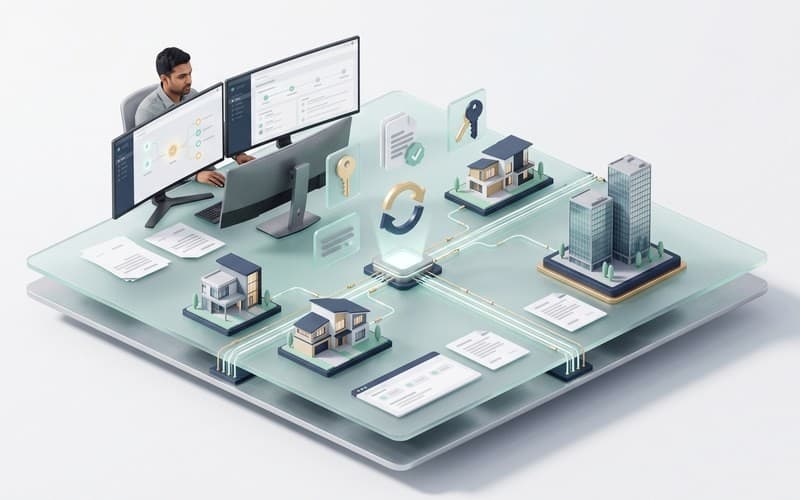
Stop re-keying closing data. We connect Qualia to your order intake, eSignature, accounting and client portal, with sync that recovers from failures and a clear record for every file.

Closing data that moves without re-keying
Title and escrow teams lose time re-keying orders, chasing status updates and reconciling disbursements across Qualia, lender portals, eSignature and accounting. We build integrations that move this data automatically and recover when a step fails: orders arrive without duplicates, milestones stay in sync, signed documents are filed back to the right file, and finance can reconcile each disbursement. They suit title agencies, escrow companies and lenders that run closings in Qualia.
AI-assisted, engineer-led Qualia integration
How AI assists
- Drafts field mappings between Qualia files, your intake forms and your accounting system for engineers to check
- Writes contract tests and sample files from the API documentation, covering duplicate orders and missed updates
- Reviews sync logs and reconciliation reports to point engineers to the files that need attention
- Drafts document templates and portal messages from your existing materials for your team to approve
What our experts own
- Engineers decide which system owns each record, from order details to disbursement amounts
- Engineers design failure handling: idempotent order creation, retries and a review queue for unresolved files
- Access to credentials and closing data is controlled; AI tools use masked or synthetic files unless you approve
- QA and your operations lead sign off each rollout stage, and we own the alerts after go-live
How a closing file moves between systems
Illustrative path for one closing file; your offices, systems and record ownership shape the actual flow.
Order intake
A lender, agent or web request opens a Qualia order after a duplicate check on property and parties.
Milestone sync
Milestone changes are read from Qualia and drive your dashboards and buyer and seller notifications.
eSignature round trip
Signing goes out through DocuSign or Adobe Acrobat Sign; each completion callback files signed copies in Qualia.
Checkpoint: Callback verified before documents are filed
Disbursement posting
Disbursements and receipts reach QuickBooks or Xero keyed to the file; a rerun skips entries already posted.
Three-way reconciliation
A scheduled job compares file, ledger and bank activity, and re-reads milestones that may have been missed.
Checkpoint: Operations lead clears flagged files
When something fails: Failed writes and callbacks retry with backoff; persistent failures enter a review queue with an alert, while the portal shows the step as pending.
What you receive
What your Qualia integration includes
Order intake and documents
Orders created from lender, agent or web requests with duplicate checks, and closing documents generated from verified file data.
Status and milestone sync
Milestones pulled from Qualia into your dashboards and notifications, with scheduled reconciliation that catches any missed update.
Vendor and lender hand-offs
Notary, courier, lender and title-search steps routed into the file, with a named owner and reminders when a party has not responded.
eSignature connections
Signing requests in DocuSign or Adobe Acrobat Sign created from the file, signed copies filed back automatically, and failed callbacks retried and logged.
Accounting sync and reconciliation
Disbursements and receipts posted to QuickBooks or Xero, with reports that flag any mismatch between the file, the ledger and the bank.
Buyer and seller portal
A branded portal for uploads, milestones and messages, with clear upload errors and wire-fraud warnings written with your team.
Prepare an integration that your team can operate
Access and inputs
Provide your Qualia access arrangement, current integration documentation, sample files without personal data, field ownership and office workflows. Confirm account permissions and any vendor approval needed for the intended connection.
A realistic first scope
Begin with one file type or office and defined order, document or status exchanges. Signing, disbursement and accounting flows depend on the tools and permissions available; agree reconciliation before wider rollout.
Handover and maintenance
We deliver the agreed connection, test evidence, configuration notes and recovery instructions. Assign an owner for alerts and reconciliation. Provider changes, credentials and ongoing monitoring can be maintained under an agreed support plan; provider charges remain separate.
How we deliver your Qualia integration
- 01
Map your closing workflow
Walk through intake, title, documents, signing and disbursement with your team, and agree which system owns each record.
- 02
Contract tests on sample files
Write contract tests from Qualia's API documentation and run them on test or sample files, including duplicate orders and missed status updates.
- 03
Build with recovery in place
Build intake, sync and document flows with idempotent writes, retries, reconciliation jobs and logs your operations team can read.
- 04
Pilot, then roll out
Pilot with one office or file type, compare results with your current process, then roll out with alerts, dashboards and an agreed support plan.
Two ways to work with AI tools
AI helps draft integration code and contract tests. Choose where it may process your code and API data.
- Private / Local AI Engineering
Privately hosted models inside infrastructure you control or an agreed isolated environment.
Discuss with this package - Claude Code / OpenAI Codex Engineering
Claude Code and/or OpenAI Codex with cloud settings your organization approves.
Discuss with this package
Not sure? We'll recommend one during scoping. Compare AI delivery options
FAQ
Frequently Asked Questions
Can you migrate data from another title system into Qualia?
Yes. We plan migrations from title production systems such as ResWare, RamQuest or SoftPro: field mapping, test imports, checks on open files and balances, and a cutover plan agreed with your operations team. What can move depends on the export and import options available to you, which we confirm before committing to a plan.
Do you support multi-office setups?
Yes. We map offices, teams and roles into the integration so each office's routing, data and permissions stay separate, test them with your Qualia admins before go-live, and keep an audit trail of automated changes to each file.
Do AI tools see our closing or customer data?
Not unless you approve it. We build and test with masked or synthetic files, and real closing data stays in your systems. If code and logs must stay on infrastructure you control, our Private / Local AI Engineering package covers that; Claude Code / OpenAI Codex Engineering uses cloud AI tools under the access rules we agree with you.
Related case studies


Related projects



Related articles



Related Services

Vibe Coding Consulting & Governance
Architectural guardrails, automated testing enforcement, and code audits for AI-generated codebases....
Learn more
Automation Agents
Business workflow automation across your CRM, documents and operational systems, with defined trigge...
Learn more
Web Design & Development
Websites, web applications, customer portals and internal tools built around clear user journeys. De...
Learn more
Multi Agent System Development
Hierarchical AI agent systems and autonomous multi agent workflows engineered with LangGraph and Cre...
Learn more
Related Platforms

Reapi Integration
Bring Reapi listing data into your website, CRM or app. We build property search, lead capture and l...Read More
Real Estate API Integration
Turn US property data into a dependable product. We connect property data APIs and public records in...Read More
Salesforce Integration
Apex, Lightning Web Components, Flow and API integrations that keep Salesforce in sync with your oth...Read More
Connect Qualia to the rest of your closing stack
Tell us which steps your team re-keys today and which systems are involved. We'll come back with questions, risks and a proposed first step.